 macOS, Chrome
CopyHub Clipboard, with memory.
Native macOS clipboard manager with a paired Chrome extension.
 macOS, Chrome
Native macOS clipboard manager with a paired Chrome extension.
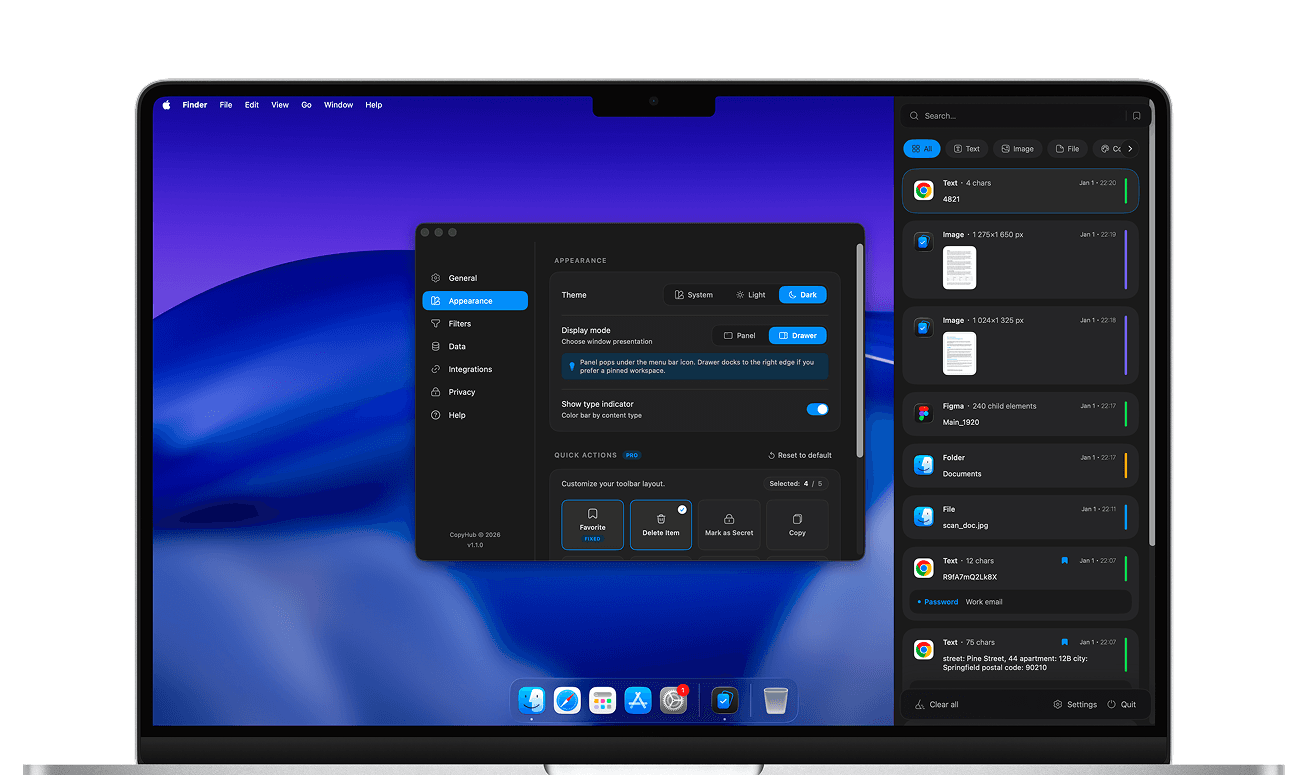
Native macOS implementation with local indexing
CopyHub is a native macOS clipboard manager. It keeps a searchable history of everything you copy, including text, images, files, colors and Figma layers, and pastes any item back in one click. A companion Chrome extension keeps a clipboard history inside the browser.
No. Your history, search index and OCR results stay on your Mac. CopyHub has no cloud sync and no telemetry, and items marked as secret are locked behind Touch ID or your password.
Yes. CopyHub runs on-device OCR with Apple’s Vision framework, so text in copied screenshots and images becomes searchable alongside everything else, without sending anything to a server.
CopyHub is free to download from the Mac App Store. An optional Pro upgrade, monthly, yearly or lifetime, unlocks extras such as secret items and custom content types. The Chrome extension is free.
CopyHub runs on macOS 13 Ventura and later. It lives in the menu bar and opens with a global keyboard shortcut.
 Next product
HeatMap
Habits you can see.